
Casino Kiosk Cash and Ticketing Replacement: A Hardware Procurement Framework
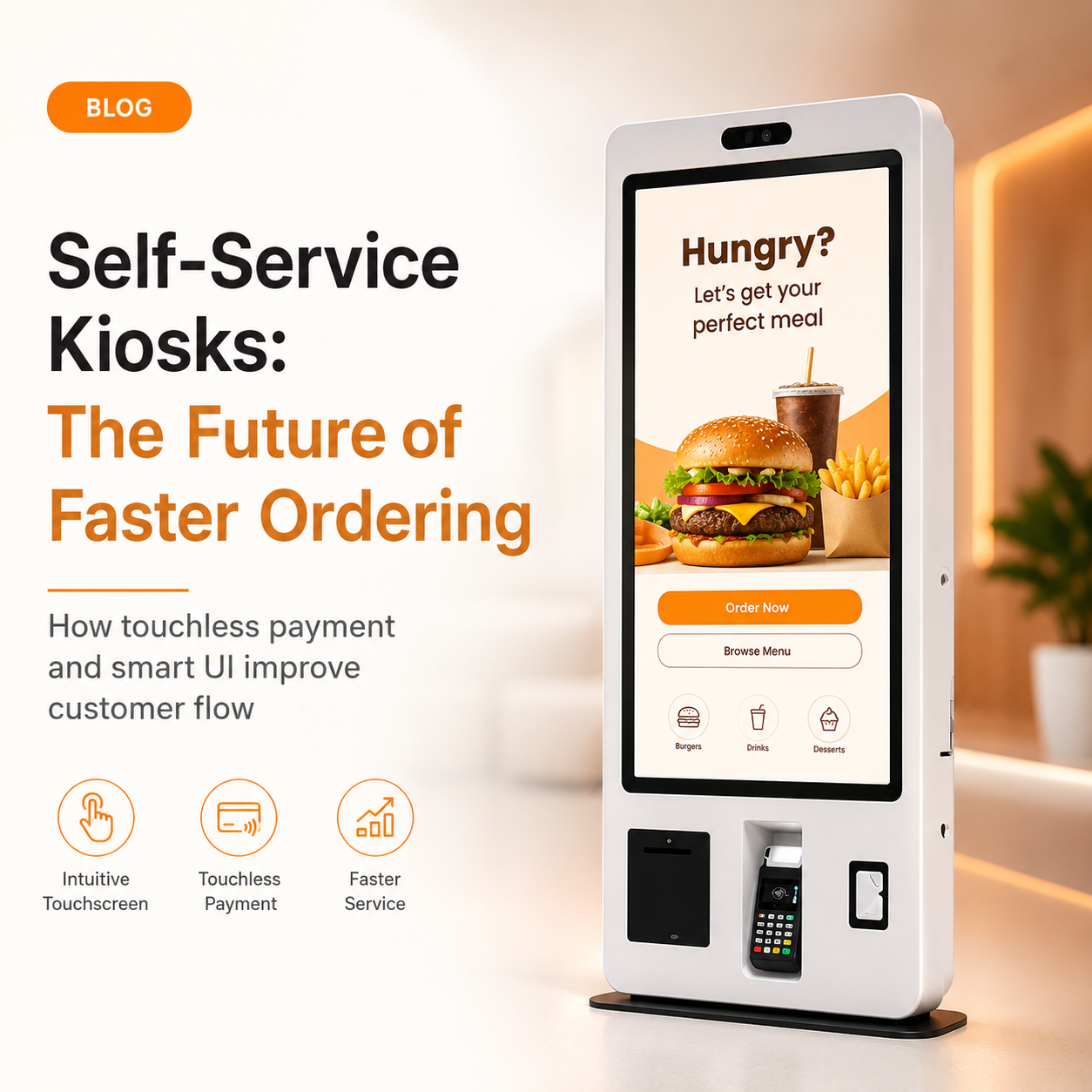
A casino kiosk cash and ticketing replacement is scoped by two decisions made before any hardware is shortlisted: whether the new fleet still accepts cash, and how much of each cabinet you actually intend to re-specify. Work backwards from payment path and service access, and the fleet splits into module-level buy decisions instead of one lump-sum tender.
Why Casino Cash and Ticketing Kiosk Replacement Is a Scoping Problem, Not a Shopping Problem
Replacement scope is set by the payment path and the amount of service access you want, not by screen size or cabinet colour. A venue that keeps cash needs note and coin handling, a safe box and cash-logistics workflows; a card-only venue needs none of them. That single fork changes the bill of materials more than any display choice.
A casino kiosk cash and ticketing replacement should therefore start with four scoping inputs, captured in writing before quotes go out:
- Payment path: cash-accepting, card and contactless only, or a mixed fleet by floor zone.
- Module set: which peripherals carry over, which are re-specified, which are dropped.
- Cabinet and security: enclosure durability, locks, safe box class, branding.
- Fleet service model: spares, response windows, module swap versus depot repair.
Get those four agreed with finance and compliance, and the ticketing kiosk replacement becomes a set of defensible line items.
Cash-Accepting vs Card-Only Replacement: The Cost and Complexity Trade-Off
Cash handling kiosk procurement splits into two builds with materially different cost and complexity. Cash acceptance adds modules, security hardware, logistics and service calls that a card-only build does not carry.
| Dimension | Cash-accepting | Card-only |
|---|---|---|
| Module count | Cash acceptor, note dispenser, coin hopper, receipt printer | Card reader, receipt printer |
| Security hardware | High-security safe box to UL/CEN standards, reinforced locks | Anti-skimming EMV bracket |
| Cash logistics | Float loading, removal procedures, dual custody, reconciliation | None |
| Service calls | Jam clears, note path cleaning, hopper faults | Reader and printer faults |
| Compliance overhead | Cash-handling obligations, audit trail, jurisdiction rules | Payment-scheme and operator rules |
The kiosk industry directory’s best-companies comparison characterises cash acceptance as adding significant cost and complexity to a self-service build, while card-only configurations are described as far cheaper to produce and operate ([2]). Treat that as the source’s characterisation, not an independently verified figure for your venue.
For a cashless payment kiosk replacement, the saving is not only in hardware. Removing cash removes the reconciliation workflow, the dual-custody procedure and the nightly float cycle from the operating model — and those are the costs that tend to grow, not shrink, over a fleet’s life.
Mapping the Modules You Actually Replace
A replacement is a portfolio of module decisions, not a single SKU. Score each family in this scope matrix, then let the triggers drive the quote.
| Module | Keep / Replace | Replacement Trigger |
|---|---|---|
| Payment acceptance | Replace | Reader no longer supports current EMV or contactless schemes |
| Note and coin handling | Replace or drop | Cash path end-of-life, or the venue moves to card-only |
| Ticket and voucher issuance | Replace | Print head wear, or barcode/QR formats change |
| Card and loyalty | Keep or replace | Game card format or loyalty platform migration |
| Compute and OS | Replace | OS out of vendor support, or software needs a newer platform |
| Accessibility | Verify and retrofit | ADA reach, audio prompt or interface gaps found in audit |
Payment acceptance
The anti-skimming EMV card reader is the module most likely to force a mid-life change, because scheme and terminal requirements move on their own cycle. Specify a replaceable payment bracket rather than a captive bay so the reader can be swapped without touching the display unit. Confirm the controller supports the payment integration you intend to run before signing.
Note and coin handling
Casino self-service kiosk hardware in a cash fleet carries a cash acceptor, note dispenser, coin hopper and a high-security safe box built to UL/CEN classes ([2]). These are the modules that dictate cabinet weight, floor fixing and cash-removal procedure, so decide early whether they stay.
Ticket and voucher issuance
A thermal ticket printer plus a barcode or QR scanner handles ticket issuance, validation and prize workflows ([1]). Printers and scan engines are consumable items in practice: rate them on service life and on how quickly a technician can reach them.
Card and loyalty workflows
A card dispenser or recycler supports game card load, loyalty enrollment and redemption. A custom gaming kiosk for a high-traffic floor is usually defined by these modules more than by its screen ([1]). If the loyalty platform is migrating, this module is the one to defer.
Compute and OS
The kiosk controller PC or industrial PC determines which platform you can run. Practical builds range from Windows (Intel Core i3/i5/i7) to Android (RK3288 through RK3588), with Linux as a third option ([2]). Choose the OS on software support life, not on developer preference.
Accessibility
ADA-compliant touch interfaces, audio prompts, reach ranges and transaction shelves are hardware features, not afterthoughts. Replacement is the cheapest moment to close accessibility gaps, because the cabinet is being opened anyway. Confirm requirements with your compliance team rather than assuming a single regional standard applies.
The same modular peripheral design principle applies across the wider self-service world — ordering, checkout, check-in and registration terminals all live or die on how cleanly a module can be swapped.
Contactless and Cashless Payment: What Changes on the Gaming Floor
Which kiosks offer contactless and cashless payment? Units built around industrial-grade capacitive touchscreens with integrated contactless card readers, EMV anti-skimming brackets and mobile wallet tap support, running on a controller that exposes an open SDK for processor integration. The decisive difference on a gaming floor is not the reader itself but how replaceable and how open the surrounding hardware is ([4]).
Contactless acceptance is the easy part; integration is the work. An open SDK payment integration lets the venue connect to major processors such as Stripe or Square without replacing the terminal, and flexible OS options are described as a hallmark of quality manufacturing ([4]).
Apply the modular payment bracket principle: swap the bracket, not the whole display unit. A locked or proprietary bay turns every scheme change into a full cabinet replacement, which is exactly the cost the replacement was meant to escape.
Game card load, credit purchase, loyalty enrollment and session check-in are the payment-adjacent workflows a gaming kiosk typically carries, with payment features subject to market and partner rules ([1]). On a regulated floor, payment acceptance stays subject to operator, market and partner rules; the hardware can only be as flexible as compliance allows.
How to Choose the Right Contactless Payment Kiosk for a Replacement Fleet
Six criteria separate a fleet you can maintain for a decade from one that ages badly. For each, the weak answer is short-sighted and the strong answer survives a scheme change.
- Modular peripheral design. Weak: peripherals mounted in captive bays. Strong: each payment and print module on its own replaceable bracket.
- Open SDK. Weak: vendor-locked payment stack. Strong: documented API or SDK with named processor integrations ([4]).
- OS flexibility. Weak: a single fixed platform. Strong: Windows, Android and Linux options so the software roadmap drives the choice.
- Enclosure and IP rating. Weak: indoor finish specified for a covered, humid or wash-down area. Strong: an IP rating matched to the actual placement ([4]).
- Service access. Weak: single-door cabinets with buried modules. Strong: keyed dual access with modules reachable in the field ([5]).
- Supply continuity. Weak: no committed module availability across a multi-site rollout. Strong: written supply and spares terms covering the full deployment window.
A self-service terminal OEM/ODM partner should be able to answer all six in a single technical response. If any answer is “not applicable,” treat it as a gap rather than a simplification.
Service Access, Security and Downtime: The Replacement Details Competitors Skip
Service access is where replacement projects quietly fail. A custom gaming kiosk is only as maintainable as its doors, its safe-box handling and its recovery behaviour, and those three details belong in the contract, not the datasheet.
Keyed service doors with dual access let a floor technician clear a jam without a cash-handling witness, while still keeping the cash path under separate keys. A ticketing self-service kiosk in a standard configuration ships with a pedestal base and dual access doors, lock-and-key access with two keys, and a 1-year return-to-depot limited warranty ([5]) — a useful baseline for what “service access” means in writing.
For continuous operation, specify watchdog behaviour: how the unit recovers from an application hang, a printer fault or a reader error without a manual reboot. Enclosure durability and field service and maintenance terms should be written against your floor’s actual traffic, cleaning chemicals and humidity, not a catalogue average.
Ask these before signing:
- Which spare parts are held in stock, and how quickly can a peripheral module be shipped?
- What response window applies to a down kiosk during peak hours?
- Is there a module swap programme, or does every fault become a depot repair?
- Who performs cash removal, and what dual-custody procedure applies?
- What is the OS patch lifecycle, and who owns it?
The Replacement Quote Request Checklist
Use this cash handling kiosk procurement checklist for every ticketing kiosk replacement. It replaces “send us your requirements” with a structure a vendor can price line by line, and it works whether you run a small hotel self-check-in kiosks trial or a multi-site rollout.
- Application and placement. Indoor or outdoor, floor, wall or countertop. If outdoor, state the IP rating and brightness requirement, e.g. 1500+ nits ([2]).
- Screen specification. Size (15.6”, 21.5”, 27”, 32”), touch type (capacitive PCAP or non-touch), resolution.
- Peripheral module list. Printer model and width, scanner type, EMV bracket specification, cash acceptor and dispenser capacities.
- Compute engine and OS. Windows versus Android versus Linux, with the specific CPU family named.
- Branding and cabinet details. Custom logo, colour code, mounting structure.
- Quantity and timeline. Sample evaluation quantity is typically 1–5 units; mass production batch size starts around 100 units ([2]).
- Service and spares terms. Response windows, spares holding, module swap programme, warranty term and coverage.
State the sample-versus-mass-production distinction explicitly, and always state your target port or destination. Freight, duty and lead time all hinge on it, and vendors price differently for a five-unit evaluation than for a hundred-unit fleet build. For a replacement cycle, add one more line: which existing cabinets are being retained, so retained housings can be re-quoted separately from new ones. The commercial clauses you already use for tablet and hardware fleets — see our notes on PO clauses that survive a segment split and OS and battery lifecycle planning — translate almost directly to kiosk modules, and the same discipline applies to PO clauses for an NPU-class fleet.
Limitations worth stating up front: gaming-market payment acceptance rules, cash-handling obligations and accessibility requirements vary by jurisdiction and by operator licence. Confirm all three with your compliance team before finalising a bill of materials, and keep the framework here as a structure for the decisions rather than a substitute for local advice.
Frequently Asked Questions
Which kiosk modules should be replaced first in a casino floor fleet?
Start with payment acceptance and compute. Readers fall out of scheme compliance and controllers fall out of OS support on their own schedules, regardless of cabinet condition. Note and coin handling come second because they carry the largest security and logistics consequences, and ticket printers last because they are consumable and easily swapped mid-life ([4]).
What is included in a self-service kiosk quote request checklist?
A complete quote request states application and placement, screen specification, the peripheral module list with capacities, compute engine and OS, branding and cabinet details, quantity and timeline, and service and spares terms. Include whether you are buying 1–5 sample units or a 100+ mass production batch, and name your destination port ([2]).
Do cashless kiosks reduce wait times and ordering errors?
Vendors report that self-service kiosks with integrated thermal printers can cut customer wait times by up to 40% while nearly eliminating order errors, according to PENETEK’s published product claims ([3]). Treat that as the manufacturer’s figure for its own hardware. On a gaming floor, the measurable gains usually come from shorter reprint and redemption queues rather than from the payment path itself.
Related guides
Content reviewed: 2026-09-13.
Evidence confidence
Confidence: Medium. This rating reflects cross-checking 5 sources across 5 independent domains. It measures evidence coverage, not certainty; verify safety-critical work against manufacturer instructions and local requirements.
References
APA 7th edition
- ↑Cited 3 timesBestkiosk. (n.d.). Gaming Kiosk OEM for Arcades & Venues. Retrieved September 13, 2026, from https://www.bestkiosk.com/gaming-kiosk/.
- ↑Cited 6 timesSeelinkin. (n.d.). Custom Kiosk Hardware Manufacturing in China Guide. Retrieved September 13, 2026, from https://www.seelinkin.com/custom-kiosk-hardware-manufacturing-guide.
- ↑ODM/OEM Customization. (n.d.). PENETEK Self-Service Kiosks | Interactive Touch Kiosks. Retrieved September 13, 2026, from https://www.penetek.com/en/category/Self-Service_Interactive-Kiosks.html.
- ↑Cited 5 timesTouchwo. (n.d.). Which Kiosks Offer Contactless and Cashless Payment. Retrieved September 13, 2026, from https://touchwo.com/contactless-cashless-payment-kiosks.
- ↑Cited 2 timesAdvancedkiosks. (n.d.). Ticketing Self-Service Kiosk- Advanced Kiosks. Retrieved September 13, 2026, from https://advancedkiosks.com/kiosks/ticketing-kiosk.
You should also read:
PO Clauses for GenAI-Ready and Memory-Heavy Tablet Procurement: Contract Terms Guide
PO Clauses for GenAI-Ready and memory-heavy tablet fleets decide who actually delivers working on-device AI — not the spec sheet. This guide gives you four editable clause templates (NPU driver availability, GMS recertification trigger, firmware freeze, and memory price-and-allotment) plus a consolidation checklist you can…
Continue reading...
Battery Lifecycle and Replaceability for Managed Fleets: A Commercial Tablet Buyer's Framework
Battery Lifecycle and Replaceability for Managed fleets: the buyer’s framework Battery Lifecycle and Replaceability for Managed tablet fleets determines whether a program holds an always-on SLAs or dies in repair depots. The answer is to stop treating the battery as a consumable and start specifying…
Continue reading...
Brightness Tier Maps for 2026 Outdoor Kiosks: A Nits-to-Environment Decision Guide
Use this brightness tier map for 2026 outdoor kiosks to translate any installation environment into a concrete nits specification, then pair it with the touch and cooling choices that tier forces. No single “outdoor” number exists — the right brightness depends on three interacting variables:…
Continue reading...